This post may contain affiliate links, which means I’ll receive a little commission if you purchase through my link at no extra cost to you. Please read the full disclosure here
Take advantage of technology and improve your organizational skills. Here are 12 apps to help you be super organized.
One of the major problems we face in recent times is that we have a lot of things to do with a limited amount of time.
We have access to so much information that it can become overwhelming.
Add to that the numerous distractions out there that make it even more challenging to be productive without a great deal of discipline.
While technology could be the culprit for our many distractions, it can also make things easier for us if used right.
There are numerous applications, websites, and software created to help with just about anything.
In this post, I want to share with you some of my most recommended apps for keeping you organized and on top of your tasks.
You may be familiar with some of them and may have overlooked the functionality of others.
I will be going over their functions and some of the ways I find them to be most helpful.
I am sure that at the end of reading this post, you will find at least one app that will completely change the game for you.
1. Google Calendar as your everyday planner
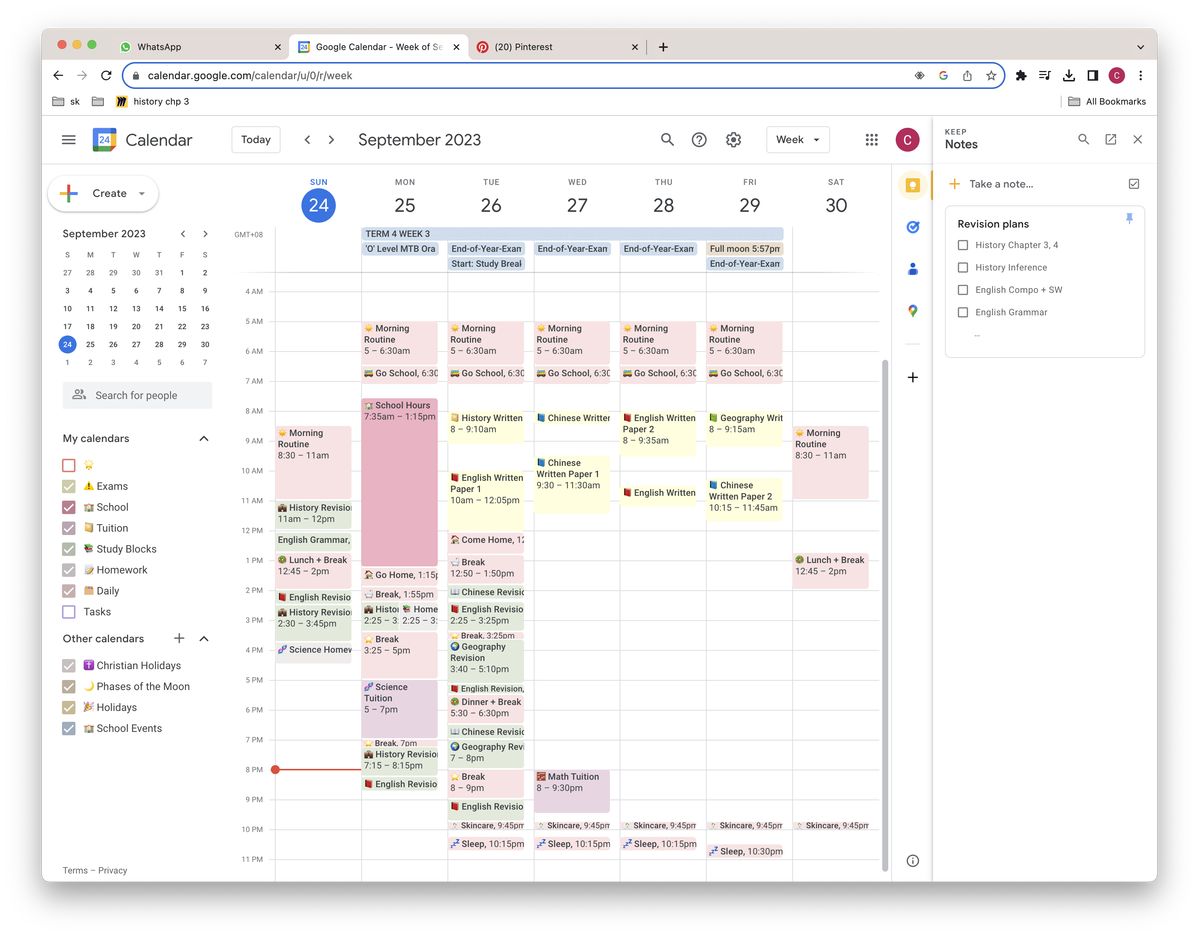
The first app on my list of 12 Apps that will help you be super organized is Google Calendar because it is free and is one of the best schedulers there is, in my opinion.
The ease of use is great too!
What features does Google Calendar offer that make it top of this list?
I’m glad you asked!
Well, I think my favorite feature would be that it automatically saves events from the emails in your Gmail account.
Say you got a flight confirmation email or confirmation of a reservation, etc. Google Calendar automatically saves it as an event in your calendar.
You will be reminded of this event by a reminder or whenever you check your schedule on the app.
That’s not all.
Google Calendar is great for saving recurring activities.
Have a favorite TV show airing weekly? Set a recurring reminder so you never miss an episode again.
You can use that to set your schedule for your classes at school—a bonus point because you can set the reminder to notify you ahead of time, so you are never late.
Google Calendar can serve as your planner, from daily planning to an entire month’s spread.
Also, did I mention that you can color-coordinate your tasks and events to whatever colors suit you?
I like to use red for urgent entries because it’s hard to miss.
2. Notion your second brain
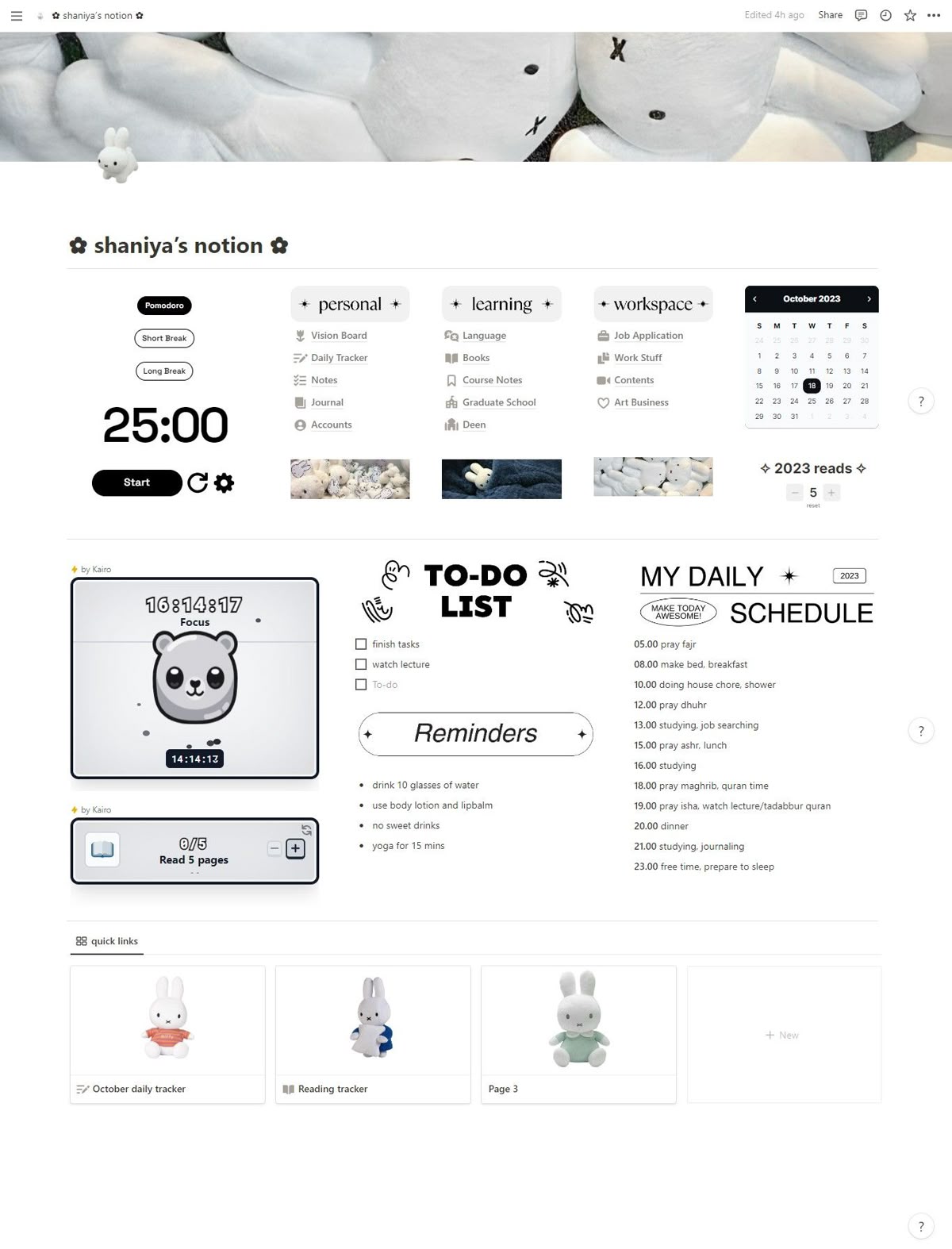
Notion is one of the most popular apps that currently exists, and that is for a reason.
People of all ages and fields use this app to organise their lives and work.
There’s no limit to what you can do with Notion, as it can be customised with templates that you can find free online or in some stores like Etsy.
3. Obsidian
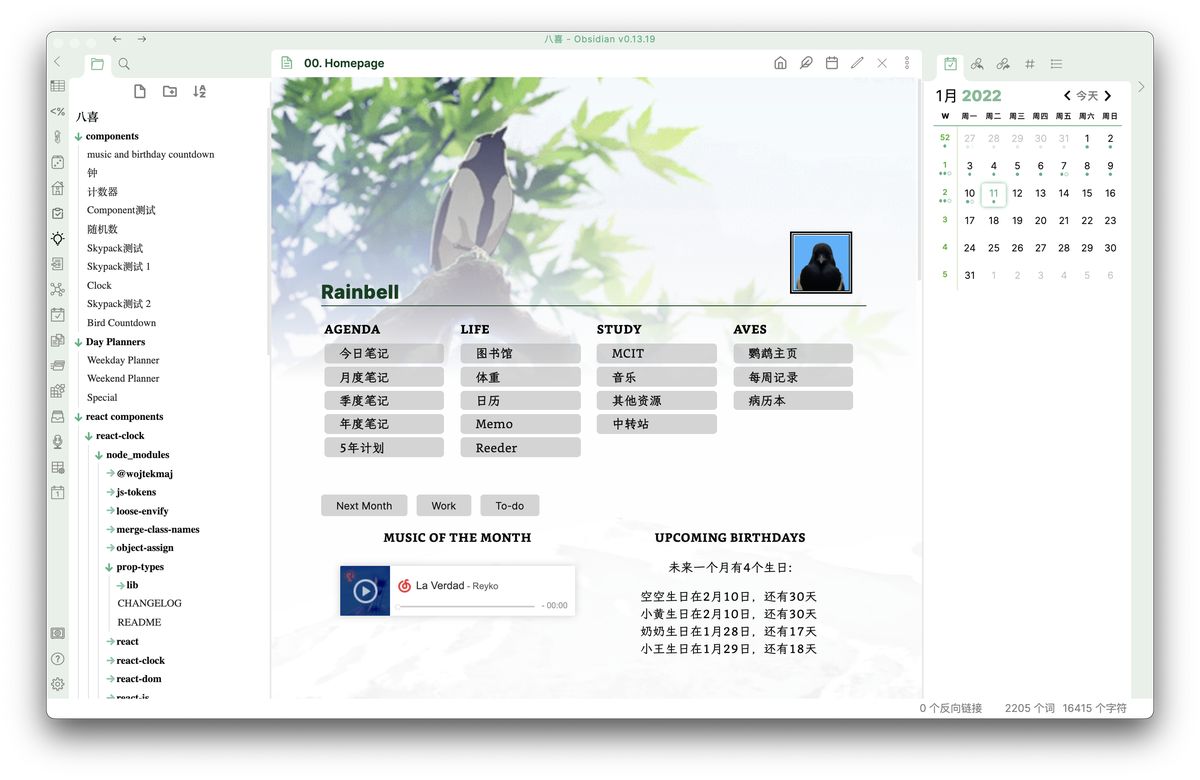
Obsidian is a great App for organising your ideas, notes, books you’re reading, trips you are planning for, and lots more.
It stores these on your device so you can access them offline.
If you are a creative person, this app will be great for collecting all your ideas in one place, as well as resources you are going through.
4. OneNote for compiling your resources
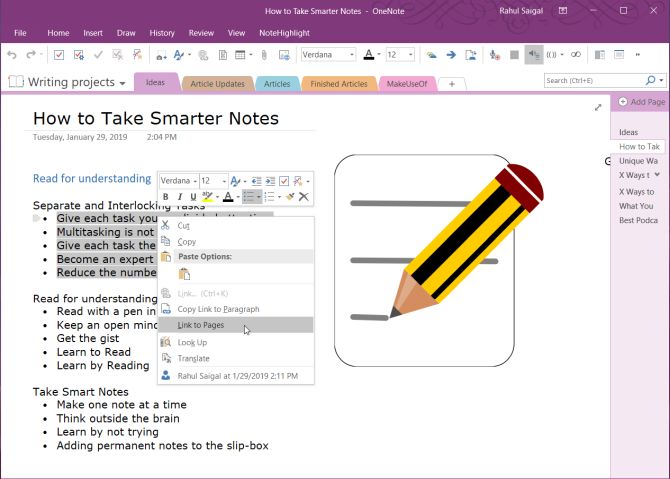
The name of this Microsoft App and its tagline, “Your digital notebook,” are very self-explanatory about what this app does.
I think it is one of the best there is when it comes to organized note-taking.
OneNote is one of the apps that comes with an Office 365 subscription, so if you already have a subscription, you can start using the app right away.
OneNote works by creating notebooks. These notebooks can represent anything: tasks, topics, events, subjects, whatever you can think of.
Each notebook can be divided into sections and pages like your regular notebook, only that you don’t run out of pages!
You can annotate, share, clip info from the web and save it in your notes, and sync it across all your devices, making it very easy to access your notes at any time.
5. Evernote for when you collaborate with others
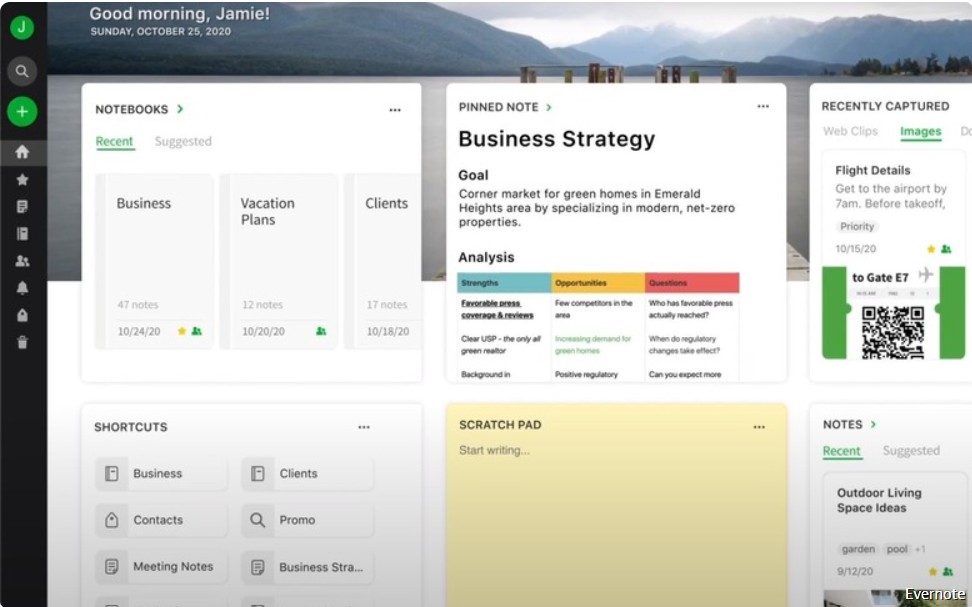
Evernote boasts a whopping 225 million users; there’s got to be a reason why so many people use it.
This app has some similarities with OneNote, so if you already have that, you may not need this.
But, in contrast to OneNote, this is not just a note-taking app; it is also useful for every aspect of staying organized.
My favorite feature is the ability to collaborate with other people on the same project.
So, if you are constantly working on projects where you have to collaborate with other people, you may find an Evernote account useful.
Evernote comes with three different plans: a free one that comes with limited features, a premium plan, and a business plan.
The two paid plans come with a thirty-day free trial, so you can try them out and see if you like the services before you commit.
6. Simplenote for simple note-taking
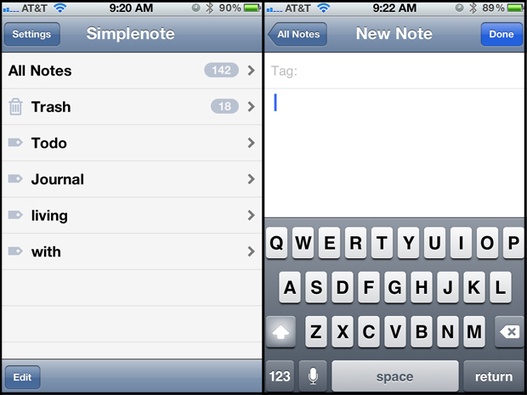
This list of 12 Apps that will help you be super organized wouldn’t be complete if I omitted this no-hassle, completely free note-taking app.
It is, like its name says, remarkably simple with limited features.
But, for a completely free app, you are getting a ton of value.
Simplenote automatically syncs all your notes and entries across all your devices and adds tags to your notes to make them easy to find.
It’s also easy to share your notes, to-do lists, and projects.
It does enough to keep you organized.
I would advise against storing sensitive information here, as the data is not encrypted for security and privacy.
7. Moleskine Studio apps
If you know Moleskine for their legendary notebooks, you may not know that they have productivity apps too.
The Moleskine notebooks that have been around for decades are often raved about by sketch artists and bullet journaling enthusiasts for their quality, versatility, and aesthetic.
Moleskine has taken this reputation into producing incredible iOS productivity apps too.
Some of these apps are Flow, Timepage, and Action apps.
Flow is an app for sketching. From simple drawings to complex designs, the possibilities are endless.
You no longer need to worry about not having your sketch tools with you when the creative juices start to flow.
With just your iPad, you can be sure to put your ideas down whenever or wherever.
Timepage is a smart calendar app for planning and organization that combines your tasks, maps, contacts, and weather.
It makes it easy to integrate entries from your other calendars without having to set new entries.
Although it requires a paid subscription, many of the reviewers of this application have emphasized how beautiful the interface is.
So, if you don’t mind paying two dollars for a monthly fee, you can try this app to see what benefits you can get from it. Also, you can try it for free for a month.
You will not realize the importance of the combination of the weather and map features in your planner until you try this app.
My personal favorite, the Actions app, is a list organizer and reminder tool, as Moleskine describes it.
It helps you organize your tasks in a very beautiful and colorful interface.
It automatically adds recurring tasks and events for you and saves you a lot of hassle.
Unlike the other Moleskine apps, Action is optimized for iOS and Android.
8. Kindle for your e-reading
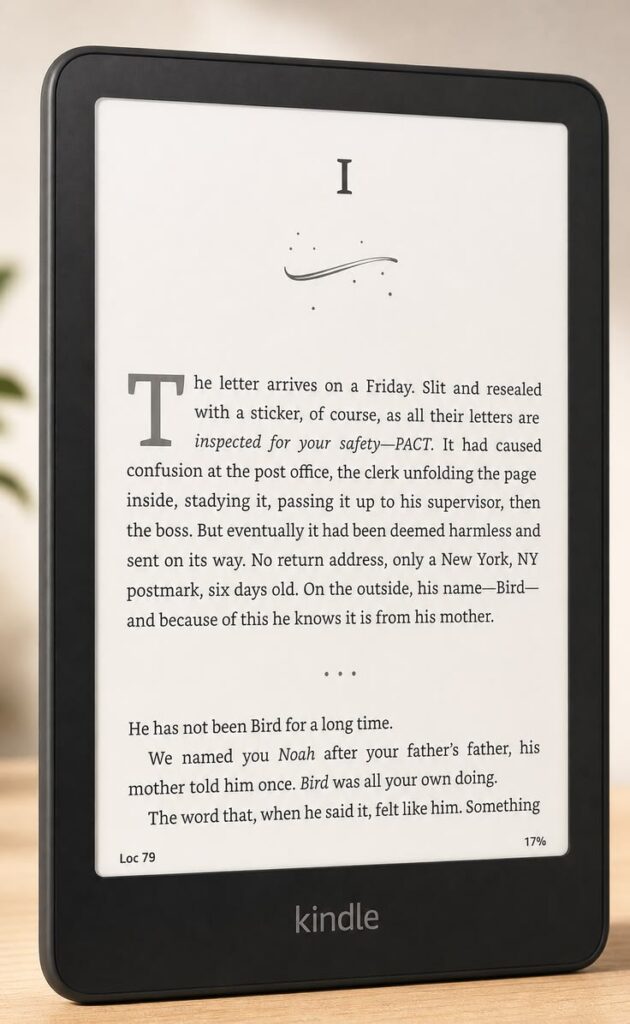
Number eight on the list of 12 Apps that will help you be super organized is Kindle.
Wouldn’t you like to be able to carry your books along with you in a small device wherever you go?
I know this list is about apps, but Kindle is both an app and a device.
Amazon often has E-book versions of books you are trying to buy, whether fiction or non-fiction, and they usually come at a lower price than the hard copies.
The kindle device is an affordable e-reader designed to mimic the experience of reading from an actual book.
They have several features to support that, such as the anti-glare and paper-like display to make it comfortable to read for a longer time.
One significant advantage of using the Kindle device is the ability to avoid distracting notifications compared to the app on your phone, tablet, or computer.
If you do not wish to buy the kindle device, you can download the app across your devices for free, and you can read your E-books wherever you are on your device.
There have been several instances when I got stuck in an unexpected waiting time or in a commute and wished I had brought a book along with me.
With Kindle, I can always continue reading from where I stopped at any time.
I would also recommend the Kindle device if you have a goal to read more books, but carrying a hard copy at that moment is inconvenient, like when you are traveling, for instance.
Another advantage of the Kindle device is that the battery lasts longer than your phone or tablet, so you wouldn’t have to choose to save your battery over reading like you would on your regular device.
9. Todoist for your daily to-do
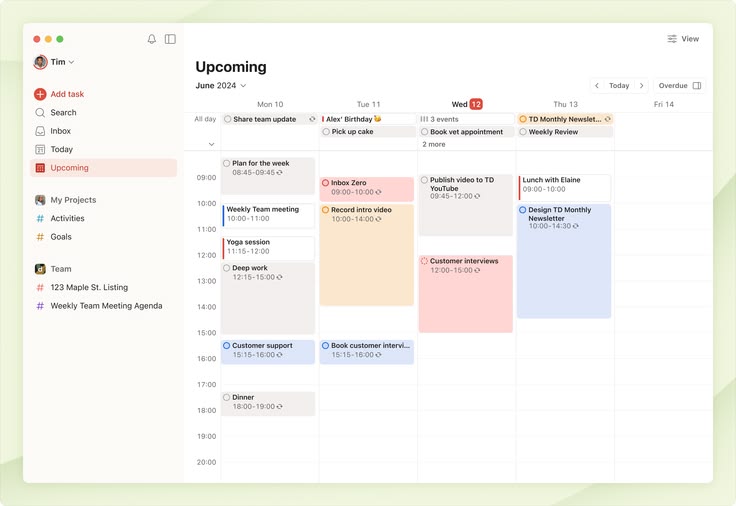
Todoist is another impressive task-optimized app.
This is not just a to-do list. It is enriched with many features to organize your schedule and projects. Todoist also makes adding and staying on top of your obligations super easy.
An app that gives you the ability to prioritize your tasks so that you can focus your energy on the things that matter most.
To boost efficiency and make your projects more manageable, you can break down each project or task into sections and subtasks.
The premium subscriptions come with productivity trends that help you view your pattern of managing your tasks and being productive.
They also have streaks to motivate you to accomplish your tasks.
Todoist has free and premium options.
The premium is quite affordable and comes with more features, but the free account is good enough if you want to try it out first.
10. Forest App to beat your distractions
The tenth app on the list of 12 Apps that will help you be super organized is the Forest app.
Are you someone whose phone hinders them from getting things done?
With the advent of social media, it is getting a lot easier to stay glued to your phone all day.
Try scrolling through Instagram or Facebook, and before you know it, it’s been two hours, and these instances can spiral into really bad habits if not put in check.
If you need a little fun way to avoid using your phone for some time and focus on the tasks that need your attention, you should try the Forest app.
Forest app lets you set a timer for however long you want to focus, and when you start, a planted seed starts to grow into a tree.
If you get distracted and start using your phone before the set time, the tree dies, and you have to start again.
In the long run, you get points for completed tasks/trees.
You can use these points to get a different type of tree or plant, actual trees, which the forest app has made possible with its partnerships.
11. Office 365, the all-rounder
Even though I already listed OneNote separately above, I would still like to mention the Microsoft office 365 subscription.
This subscription comes with Microsoft applications that are important for productivity and any field of work you might find yourself in.
Whatever you are trying to do, I’m sure there is an office app optimized for that.
Since Microsoft has been around for so long, most of us already have some experience using these apps growing up or in school, eliminating the learning curve of using something completely new.
Office To do is also among my favorite office apps.
It has very similar features to Wunderlist (a to-do list app that Microsoft purchased). It is a to-do list app for making a list of all your obligations for the day.
If you have an office 365 subscription, you already have more than you need to stay organized and wouldn’t necessarily need other organization and productivity apps.
12. Drive for storage
Google Drive is my favorite choice for file storage.
I love the convenience of accessing your files offline and having a lot of free storage.
You can store and easily share your files with others.
Ready to become the most organized person you know?
There you have it; you have made it to the end of this list of 12 Apps that will help you be super organized.
Are there apps here that you already use and love? Is there any that has piqued your interest and you want to check out?
Let me know in the comments.